

How it works
1
Submit the video
POST /video_analyses with the file. Growi answers 202 with the analysis id, its
status (queued) and an estimated finish time.2
Growi analyzes it
The analysis moves from
queued to processing, then to ready or failed. Poll it
or check the status overview any
time. Reads don’t count toward your rate limits.3
You're notified
The user who created the API key hears about it on the channels they chose (email, Slack
or Discord), and every webhook URL of your organization gets
video_analysis.completed or
video_analysis.failed.4
Read the result
GET /video_analyses/{id} returns the labels, transcript, measures, quality and frame
images.Before you start
You need a full-access API key created by a user. Create one under Settings → Developer → API keys (see authentication).- Viewer keys, older keys that aren’t tied to a user, and keys whose user was deleted get
403on every video analysis endpoint. - An analysis is attributed to the user who created the key. That user gets its notifications.
- Every full-access key of your organization can read all of its analyses, whoever
submitted them. Any other id is a
404. - Analyses belong to the key’s organization.
organization_iddoesn’t apply to these endpoints.
Submit a video
Send the file asmultipart/form-data, in a field named video:
202 Accepted
notify can also be sent as form fields: -F "notify[channels][]=email" -F "notify[channels][]=slack".
Limits
- Growi measures the length from the file itself; there’s no length field to send. If it
can’t read the duration, the video is refused with
video_duration_unreadable. This happens most often with fragmented MP4s. Export the video again as a standard MP4 or MOV and retry. - A submission-limit
429hascode: "rate_limited", alimitfield naming the limit, and aRetry-Afterheader with the number of seconds to wait before retrying. POST /video_analysesalso counts toward the API’s rate limits (2 seconds between calls and an hourly cap). TheGETendpoints under/video_analyses, frame images included, don’t count toward them.
Retries and idempotency
Send anIdempotency-Key header with every submission, so a retry after a timeout or a
dropped connection can’t start a second analysis.
- Same key again: you get
202with the original analysis’sidand its currentstatus, plus the headerIdempotent-Replayed: true. Growi doesn’t store or analyze the file again.- While the analysis is unfinished, the repeat has the same live
statusand estimate (eta_seconds,eta_at) asGET /video_analyses/{id}. The estimate isnullonly when there’s no estimate right now, or when Growi hasn’t yet confirmed that the analysis started. - After the analysis has finished, a repeat returns
ready,failedorexpired, with no estimate.
- While the analysis is unfinished, the repeat has the same live
- The first request is still uploading: you get
409 idempotency_in_progress. Retry in a moment. - Keys are per user: a key is scoped to the user who created the API key, in your organization. Two users can send the same key without clashing.
- Only the key is compared. A repeat returns the original analysis even if it carries a different file, so use a new key for each new video.
- Failures that keep nothing:
502 upload_failed,502 submission_rejectedand503 analysis_unavailableleave no analysis behind, so you can retry with the same key.503comes withRetry-After.
If a submission’s upload is cut off and never completes, its key keeps answering
409 until
Growi gives up on it. After that, the key returns that analysis as failed, with
error_code: "submission_interrupted". This failure sends no email, Slack or Discord
notification and no video_analysis.failed webhook. Send the video again with a new key.202,
with eta_seconds and eta_at set to null, and Growi keeps trying in the background. If
a later attempt is rejected, or the analysis still can’t be started after a day, it fails with
error_code: "submission_failed" and you’re notified as usual.
Statuses
queued and processing are unfinished, and ready and failed are final. An analysis
becomes expired 30 days after it finished (frames_expire_at). Analyses and their results
are kept after that.
error_code is set only on failed analyses. Values include:
Other short codes can appear, such as
video_too_long. Treat a code you don’t recognize as a
general failure.
Track progress
- One analysis:
GET /video_analyses/{id}returns itsstatus, itsstages(each with astagename, astate,started_atandfinished_at), and its estimated finish time while it’s unfinished. - All analyses:
GET /video_analyseslists your organization’s analyses, newest first. Filter withstatusand page withpageandper_page(up to 100). - Overview:
GET /video_analyses/statuscounts what’squeuedandprocessingand what finished or failed in the last 24 hours. It also returns the estimate for your oldest unfinished analysis whose submission has been confirmed (oldest_unfinished). It’snullwhen no unfinished analysis has a confirmed submission, even ifcounts.queuedisn’t zero. Submissions Growi hasn’t confirmed yet aren’t included.new_submissionis the estimate a new video oflength_sseconds would get now (40 seconds by default).
eta_seconds (seconds from now) and eta_at (the same moment, in UTC). It’s
an estimate, not a promise. It’s only present while an analysis is queued or processing,
and either field can be null when there’s no estimate.
Results
Oncestatus is ready, GET /video_analyses/{id} returns result:
result is null until the analysis is ready. labels, transcript, measures and
quality are JSON objects, and any of them can be null. Inside them, a field that couldn’t
be set can be null or left out, so read every field as optional.
Only the fields below are returned. Growi’s own processing details, such as record ids,
versions, timings and costs, aren’t part of the result.
Example
A ready analysis of a 33-second skincare review.stages is left out here, and the labels,
transcript, quality values and frames are cut short:
200 OK
Labels
attrs holds every label Growi sets: the hook (hook, hook_type, hook_text,
hook_template), the format, niche, tone, style and tags, the products, brands and claims,
the story beats, key moments (each a time t in seconds and what happens), the offer and
call to action, the setting, lighting, editing and caption style, a summary and
description, and unsure, the labels Growi isn’t confident about. A label is a string, a
number, a boolean, a list or, like moments, a list of objects.
New labels can appear in attrs. Ignore names you don’t use, and treat any label as
possibly absent.
Transcript
Measures
The values sit directly underresult.measures, for example result.measures.duration_s.
With no speech,
has_speech is false, first_word_s is null, word_count,
words_per_min and speech_ratio are 0, and spoken_hook is empty. When a video has
sound but no transcript, the speech values are null.
Quality
The values sit directly underresult.quality, for example result.quality.luma_median. They
are measured on frames sampled across the video. Read them as signals to compare videos by,
not as a quality score.
A value that can’t be measured is
null, such as the audio values of a video with no sound
track.
Frame images
Each frame’surl points to
GET /video_analyses/{id}/frames/{n}.
It isn’t a public link: fetch it with your API key, like any other call:
Content-Type for its type, usually image/jpeg. It’s
sent with Cache-Control: private. Frame images are kept for 30 days after the analysis finished
(frames_expire_at). After that:
- the analysis reads
status: "expired",result.framesis empty andresult.frames_expiredistrue; - a frame URL answers
410 frames_expired, for any frame number, whether or not that frame existed; - the rest of the result stays readable.
n must be a frame number written as plain digits, such as 0 or 7. Anything else, such
as -1, abc or 0x1, answers 404 not_found, even on an expired analysis. A frame number
the result doesn’t have is also 404 not_found while the images are kept.
If a frame can’t be read for a moment, its URL answers 502 frame_unavailable; retry it.
Save the frames you want to keep before they expire.
Notifications
Once its upload completes, Growi notifies the user who created the API key when an analysis finishes or fails.
If your organization has no Slack or Discord report channel, nothing is posted there. There
are no SMS notifications for video analysis.
Choose channels in Settings
Each user picks their own channels under Settings → Notifications, in the AI media analysis group: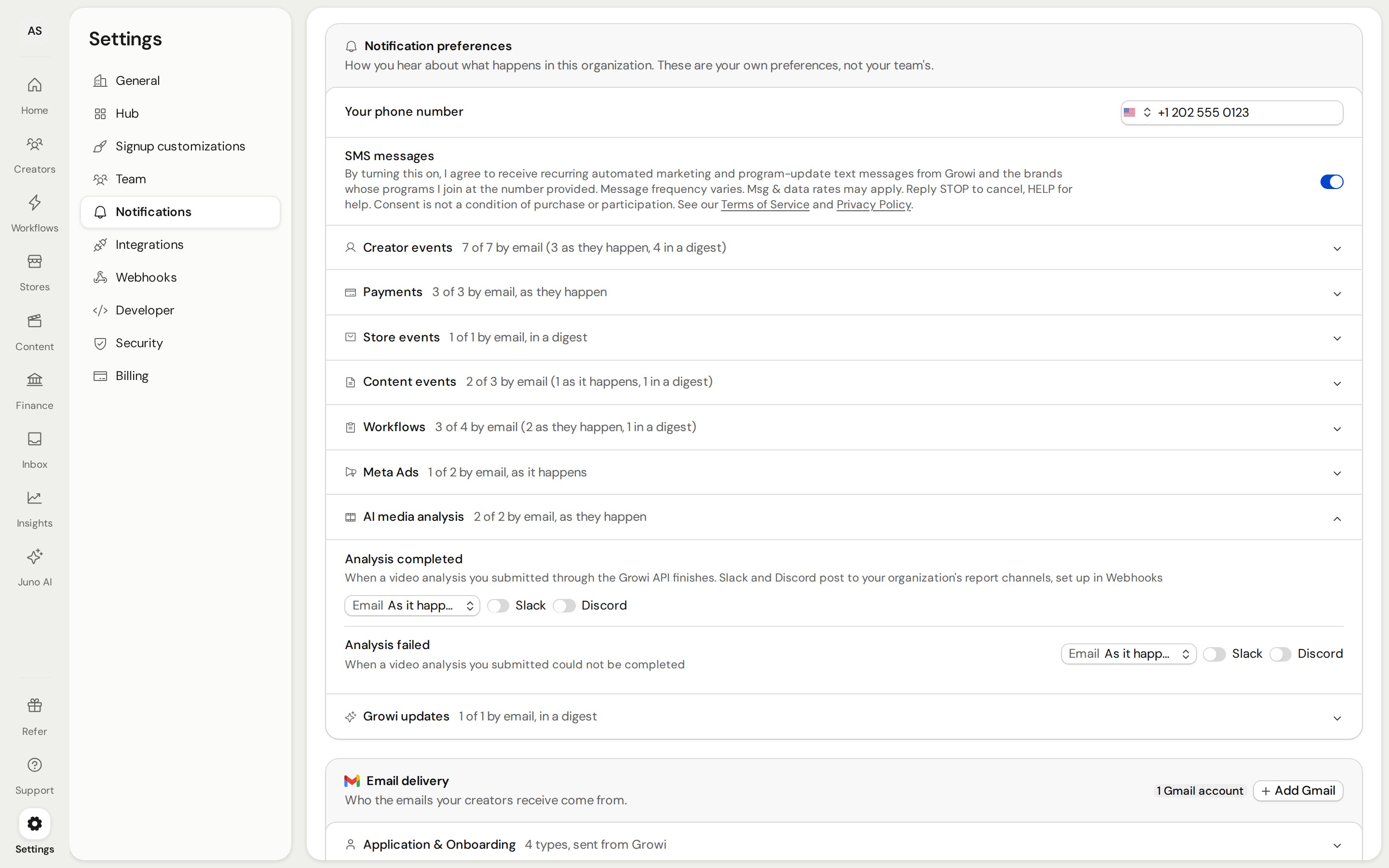
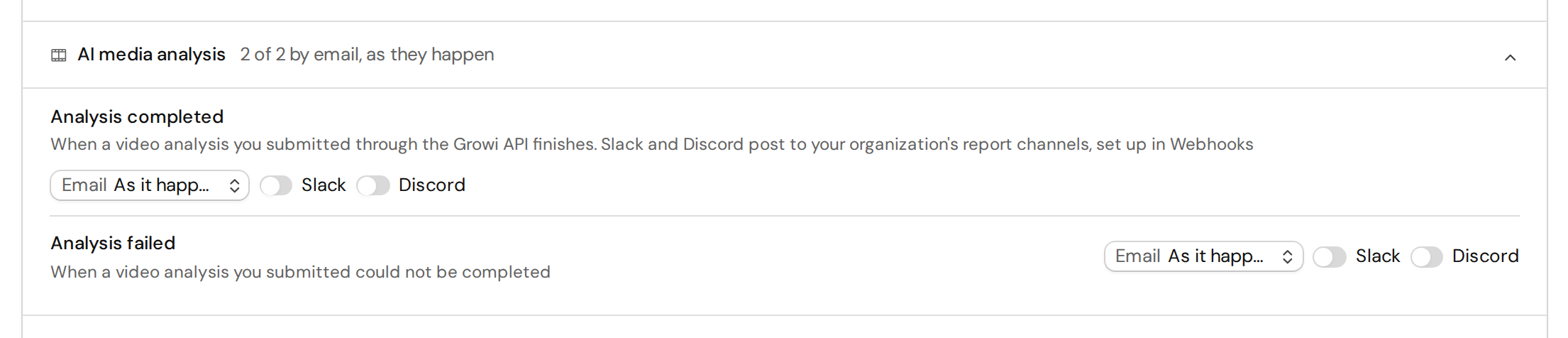
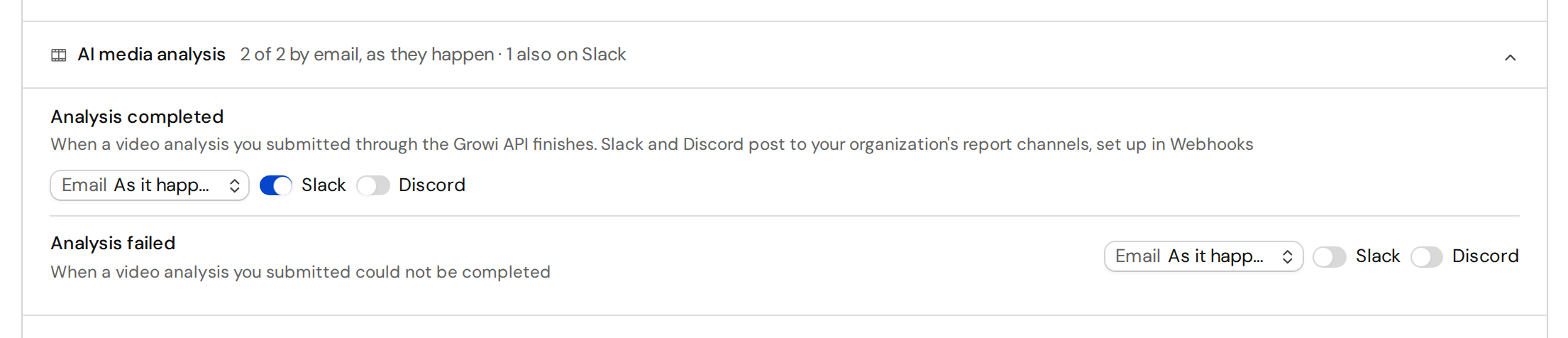
Choose channels per video
To pick channels for one analysis, sendnotify with the submission:
notify replaces the settings for that analysis: only the channels you name are used, and a
named email is sent right away, not held for a digest. channels must list at least one of
email, slack and discord. Anything else, sms and webhook included, gets
422 invalid_notify.
Webhooks aren’t a notification channel you choose. Your organization’s webhooks always get
the events, whatever notify or the settings say. The one exception is an upload that never
completes (submission_interrupted, above): it sends no event.
Webhook events
Every active webhook URL of your organization (Settings → Webhooks) receives:GET /video_analyses/{video_analysis_id}. See the
payload reference for each field.
Delivery works like the other Growi webhooks: a JSON POST to your webhook URL, retried up
to 3 times on a non-2xx response. Use an HTTPS URL for encrypted delivery. When your
organization has an active growi-sk- API key, the request carries
Authorization: Bearer <your newest active growi-sk key>; with none, the header is left out.
Delivery is at-least-once, so deduplicate on idempotency_key.
Errors
Errors are JSON with anerror message and, on these endpoints, a code: