> ## Documentation Index
> Fetch the complete documentation index at: https://growi.mintlify.site/llms.txt
> Use this file to discover all available pages before exploring further.
# Getting Stats
> Learn how to authenticate and access Growi statistics
**Prerequisite** You should have administrative access to your Growi dashboard.
# How to Access Growi Statistics
Follow these steps to set up authentication and start accessing Growi's statistics endpoints.
## 1. Generate Your API Key
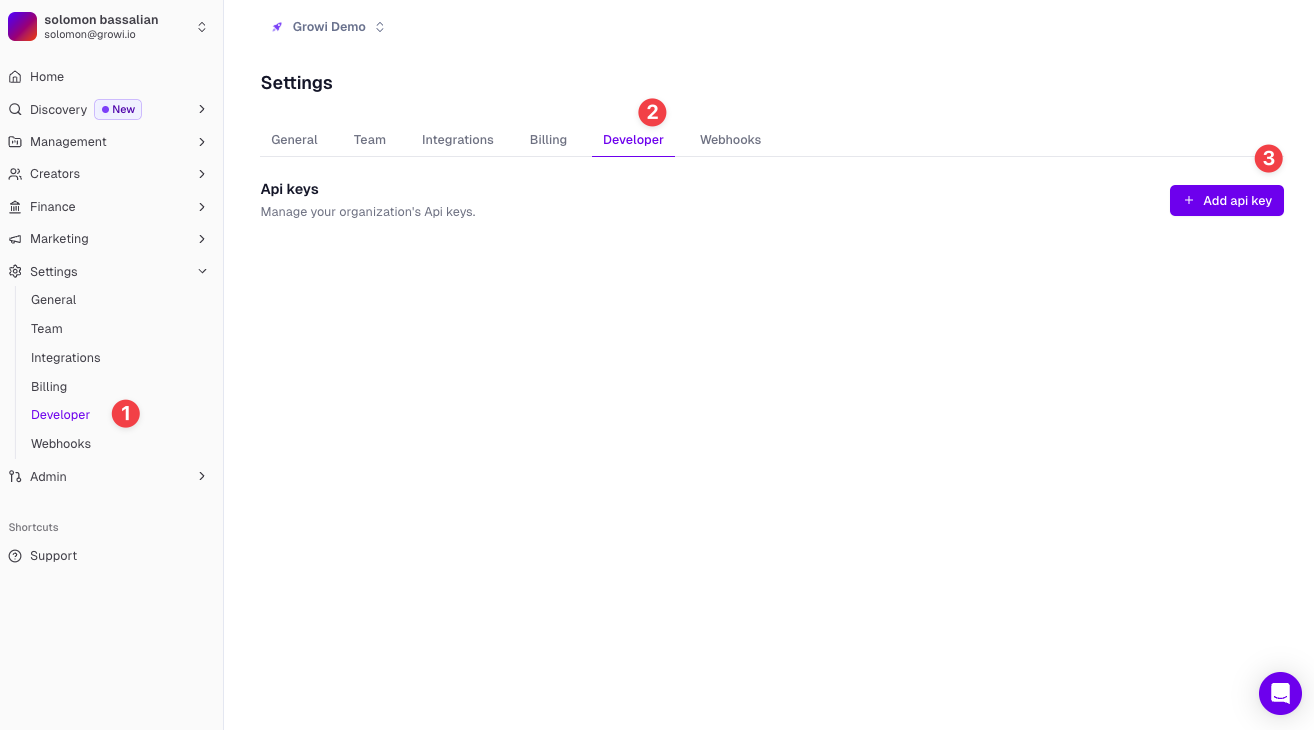
First, navigate to the "Settings" section of your Growi dashboard, then click on the "Developer" tab. Here you can create a new API key for accessing the statistics endpoints.
 ## 2. Copy Your API Key
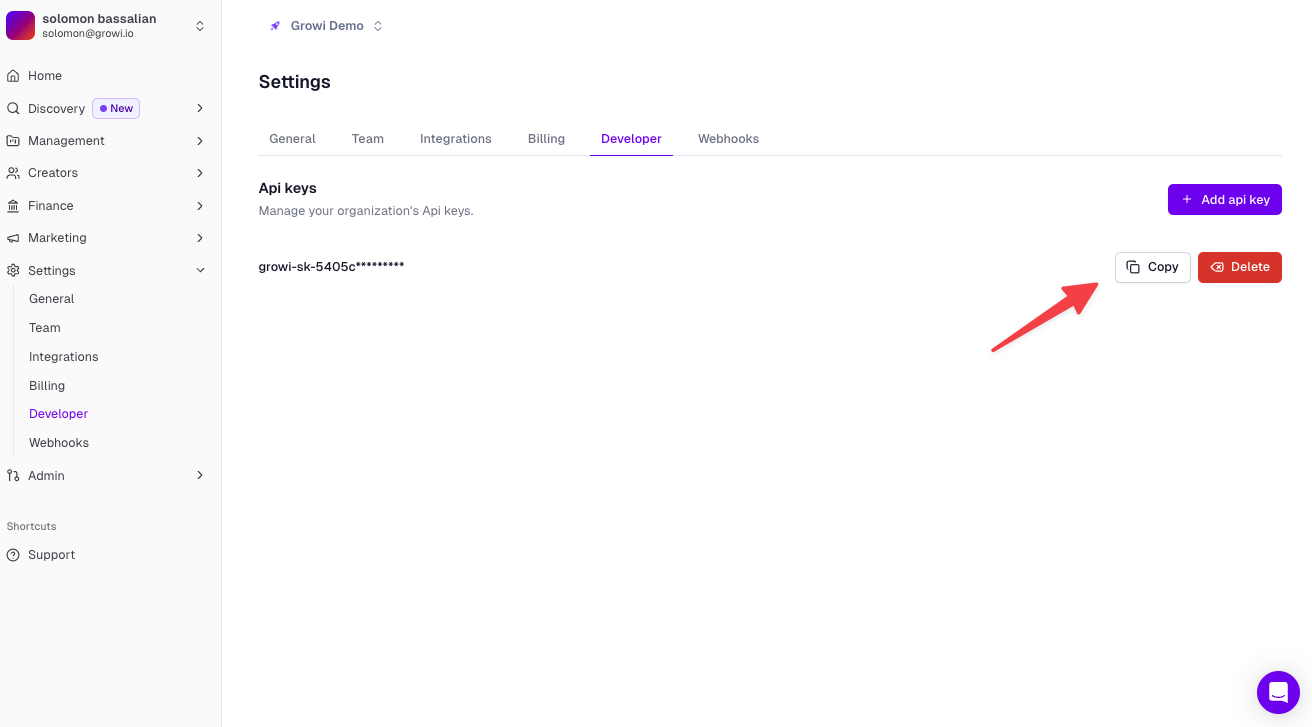
Once you've created your API key, you can copy it to use in your API requests. Keep this key secure and don't share it publicly.
## 2. Copy Your API Key
Once you've created your API key, you can copy it to use in your API requests. Keep this key secure and don't share it publicly.
 ## 3. Making Authenticated Requests
To make requests to any of our stats endpoints, you'll need to include your API key in the Authorization header using Bearer authentication:
```bash theme={null}
Base URL: https://api.growi.io/api/public/v1
Authorization: Bearer YOUR_API_KEY
```
## Available Statistics Endpoints
You can access various statistics through our API endpoints:
* Get Snapshots
* Content Platform Composition
* 24-Hour Content Data
* Creator Statistics
* Top Creators
* Top Posts
* User Contents
For detailed information about each endpoint and their specific parameters, please refer to our [API Documentation](/api-reference/introduction).
## Troubleshooting
Verify that you're using the correct API key and that it hasn't expired. You may need to generate a new one if you're experiencing issues.
Ensure you're formatting the Authorization header correctly with 'Bearer' followed by your API key. Check that there are no extra spaces or special characters.
Confirm that your API key has the necessary permissions for the endpoints you're trying to access. You may need to adjust the permissions in your developer settings.
## 3. Making Authenticated Requests
To make requests to any of our stats endpoints, you'll need to include your API key in the Authorization header using Bearer authentication:
```bash theme={null}
Base URL: https://api.growi.io/api/public/v1
Authorization: Bearer YOUR_API_KEY
```
## Available Statistics Endpoints
You can access various statistics through our API endpoints:
* Get Snapshots
* Content Platform Composition
* 24-Hour Content Data
* Creator Statistics
* Top Creators
* Top Posts
* User Contents
For detailed information about each endpoint and their specific parameters, please refer to our [API Documentation](/api-reference/introduction).
## Troubleshooting
Verify that you're using the correct API key and that it hasn't expired. You may need to generate a new one if you're experiencing issues.
Ensure you're formatting the Authorization header correctly with 'Bearer' followed by your API key. Check that there are no extra spaces or special characters.
Confirm that your API key has the necessary permissions for the endpoints you're trying to access. You may need to adjust the permissions in your developer settings.